Press kit & fact sheet
Everything a journalist, blogger or fellow DJ needs to write about Deck Caddie accurately — facts, real numbers, story angles and screenshots. Quote freely.
About Deck Caddie
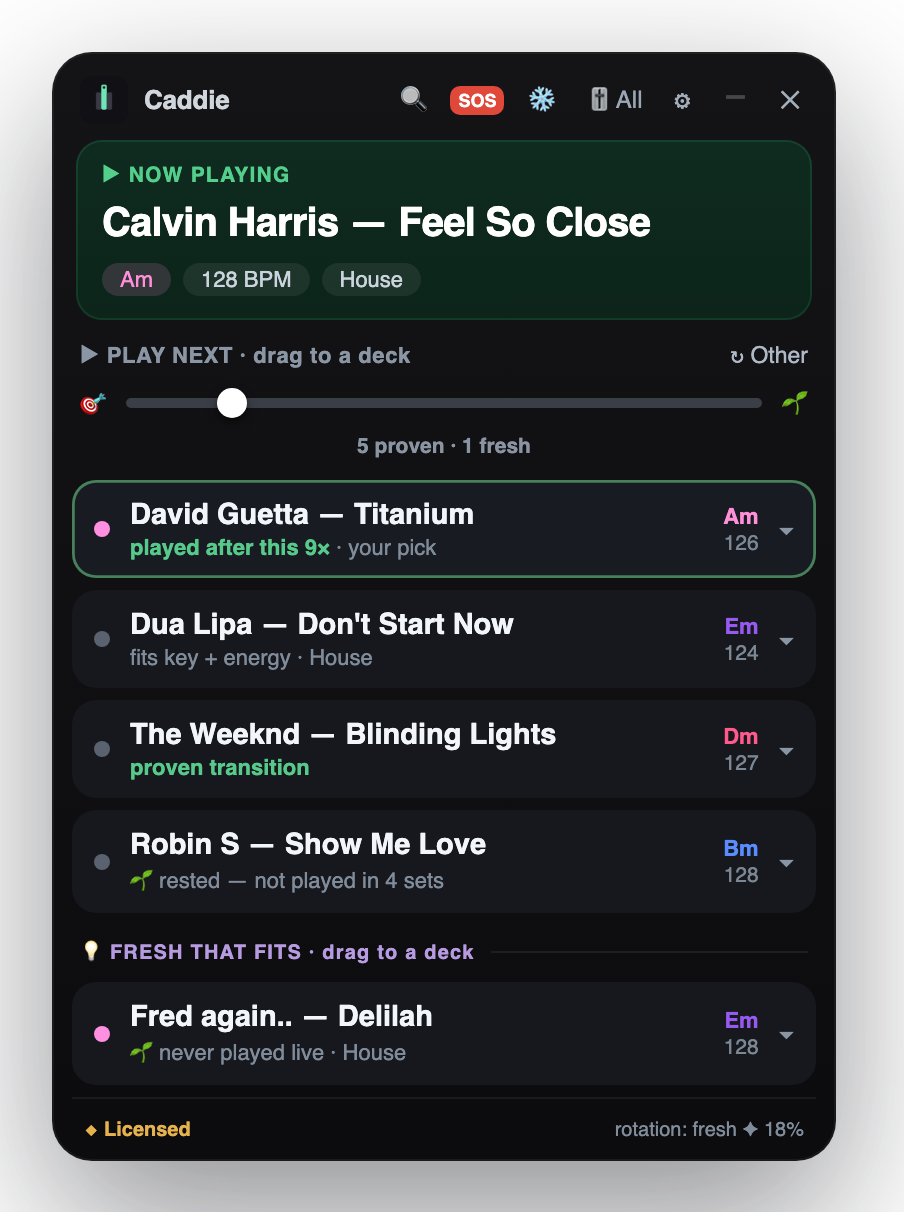
Deck Caddie is a DJ copilot for Serato DJ Pro and rekordbox on macOS — a floating panel that tells a DJ what to play next. It is built entirely from that DJ’s own crates, keys, tempos and gig history — not other DJs’ data — and it runs fully offline, so nothing is ever uploaded. It surfaces the tracks a DJ owns but never plays, so sets stop repeating, and any suggestion can be dragged straight onto a deck.
It is made by a working DJ, for DJs with big libraries who keep reaching for the same records — wedding, club, mobile, open-format and radio.
Quick facts
- What it is
- A floating panel that sits over Serato DJ Pro or rekordbox on macOS and suggests the next track to play — from the DJ's own library, crates and gig history.
- Platform
- macOS 11 or later (Apple-notarised). Works with Serato DJ Pro.
- Privacy
- Runs fully offline during a gig. Your library and play history are never uploaded; at launch it sends only the app version, a machine ID, the licence e-mail (plus, only if you choose to leave one in the panel's optional box, an address for a single trial reminder) and, during the free trial, how many of the 3 free gigs have been used, plus how often the next song played was one of the panel's picks. No account is needed.
- Read-only
- It reads Serato's library and history files and never writes to the library.
- Pricing
- US$39 one-time (covers two Macs, all 1.x updates) or US$6.99/month. Free trial: 3 full gigs or 30 days from the first gig (whichever comes first), no credit card. 30-day money-back guarantee on the one-time licence.
- What it is not
- Not other DJs’ data and not a cloud service. It never mixes for you — it only hands you the record to drag onto a deck.
- Website
- deckcaddie.com — available in English, Spanish, Portuguese, German, French and Italian.
- Made by
- A working DJ.
Real numbers
Measured from one working DJ’s own Serato history, not modelled or invented:
- 3tracks played at every single one of one working DJ's last 8 gigs — the rut, measured from his own Serato history
- 33tracks played at 6 or more of those last 8 gigs
- 16.8%of Deck Caddie's suggestions are tracks that have never once been in a set (measured on a real 61,560-track library, across 1,320 suggestions)
- 18.6%of the time the song a DJ played next was among Deck Caddie's six picks — measured on 11 early users' Macs (the developer's included), 2,257 real moments; it varies from 6% to 31% depending on the Mac; six random songs from a library would hit about 0.01%
- 31.2%of suggestions are tracks rested for three months or more
- 63%of suggestions are the DJ's own edits, remixes and mashups — nearly double their 32% share of the library
Story angles
1. Your library, not other DJs’ data
Most AI DJ assistants learn from what a global pool of other DJs played. Deck Caddie learns only from one DJ — their proven transitions, crates and gig history — and only ever suggests records they already own. The privacy angle is real: it works offline and never uploads your library or play history.
2. The rut, in numbers
Every DJ knows the feeling of reaching for the same forty tracks. The measured version: three tracks played at every one of eight consecutive gigs, in a library of tens of thousands. A tool that deliberately reserves a slot for tracks you own but never play is a direct answer to that.
3. Your edits and bootlegs count
Working DJs play their own intro cuts, transition edits and mashups — files no model trained on other DJs has ever heard. Because Deck Caddie reads the actual files in the library, an edit is just a track with its own key, tempo and proven sequences.
Screenshots & assets
Free to use when covering Deck Caddie. Serato DJ Pro is a trademark of its owner; Deck Caddie is not affiliated with or endorsed by Serato.
- App icon (512×512 PNG)
- The floating panel (screenshot)
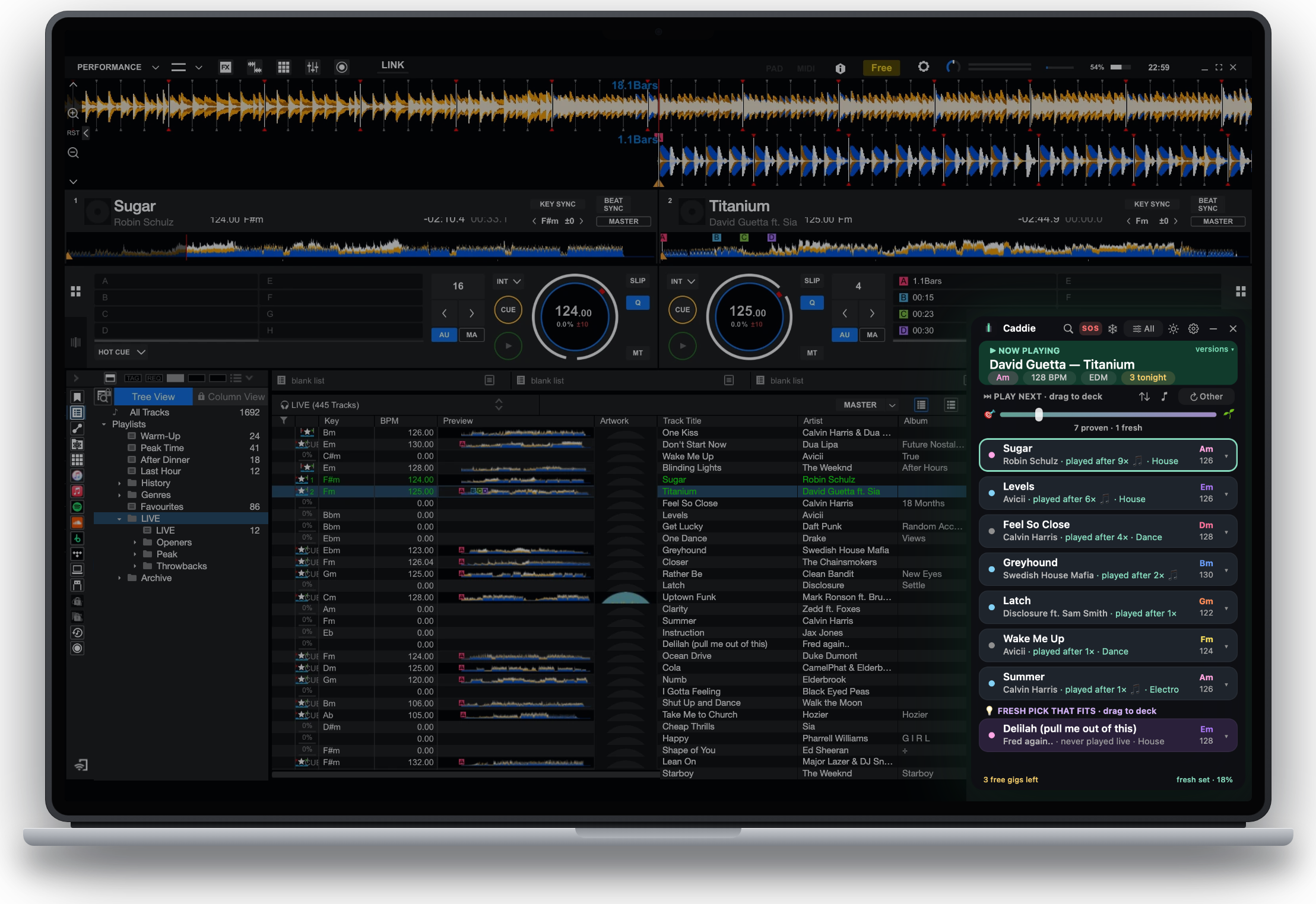
- The panel running over Serato DJ Pro (screenshot, demo library)
- The panel running over rekordbox (screenshot, demo library)
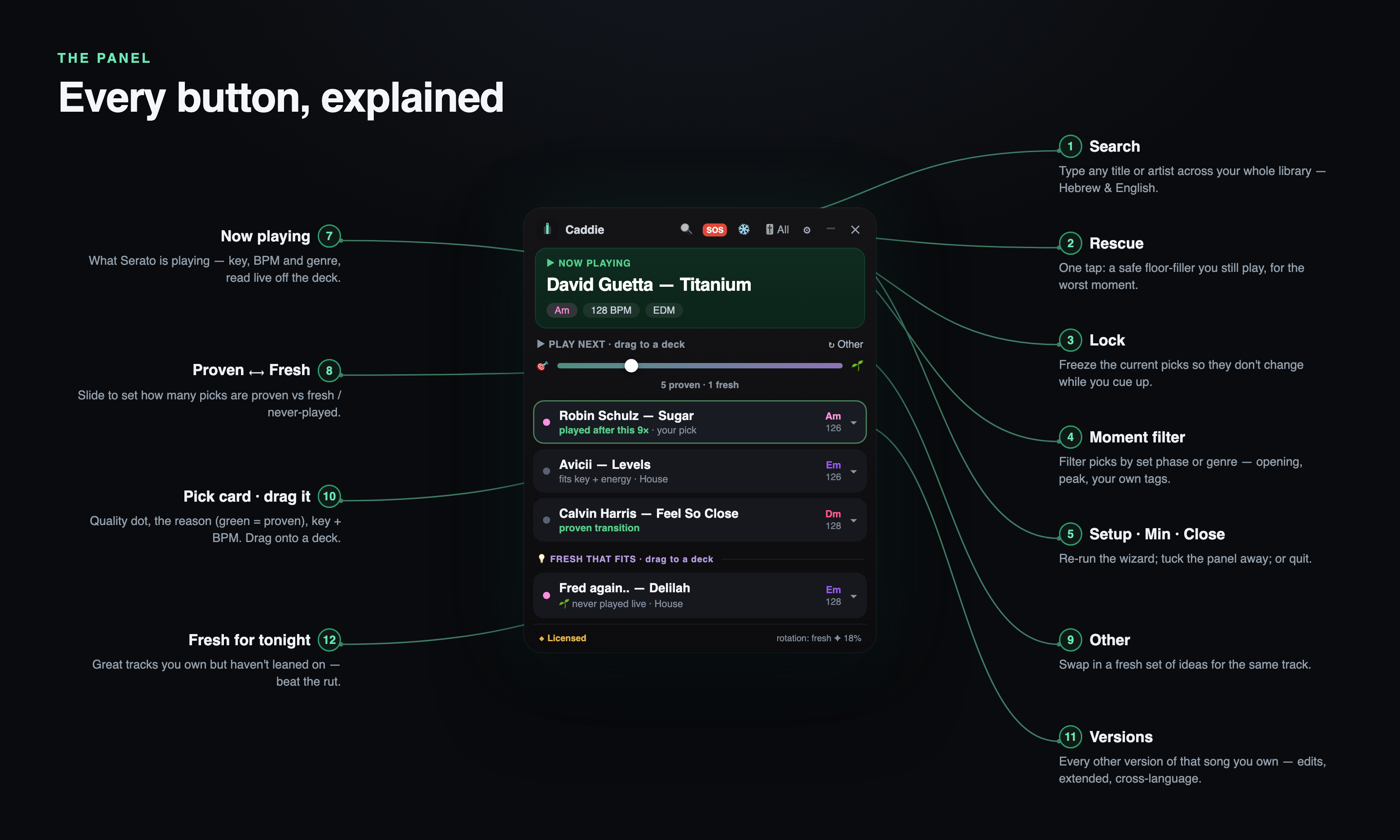
- Every button, explained (annotated diagram)
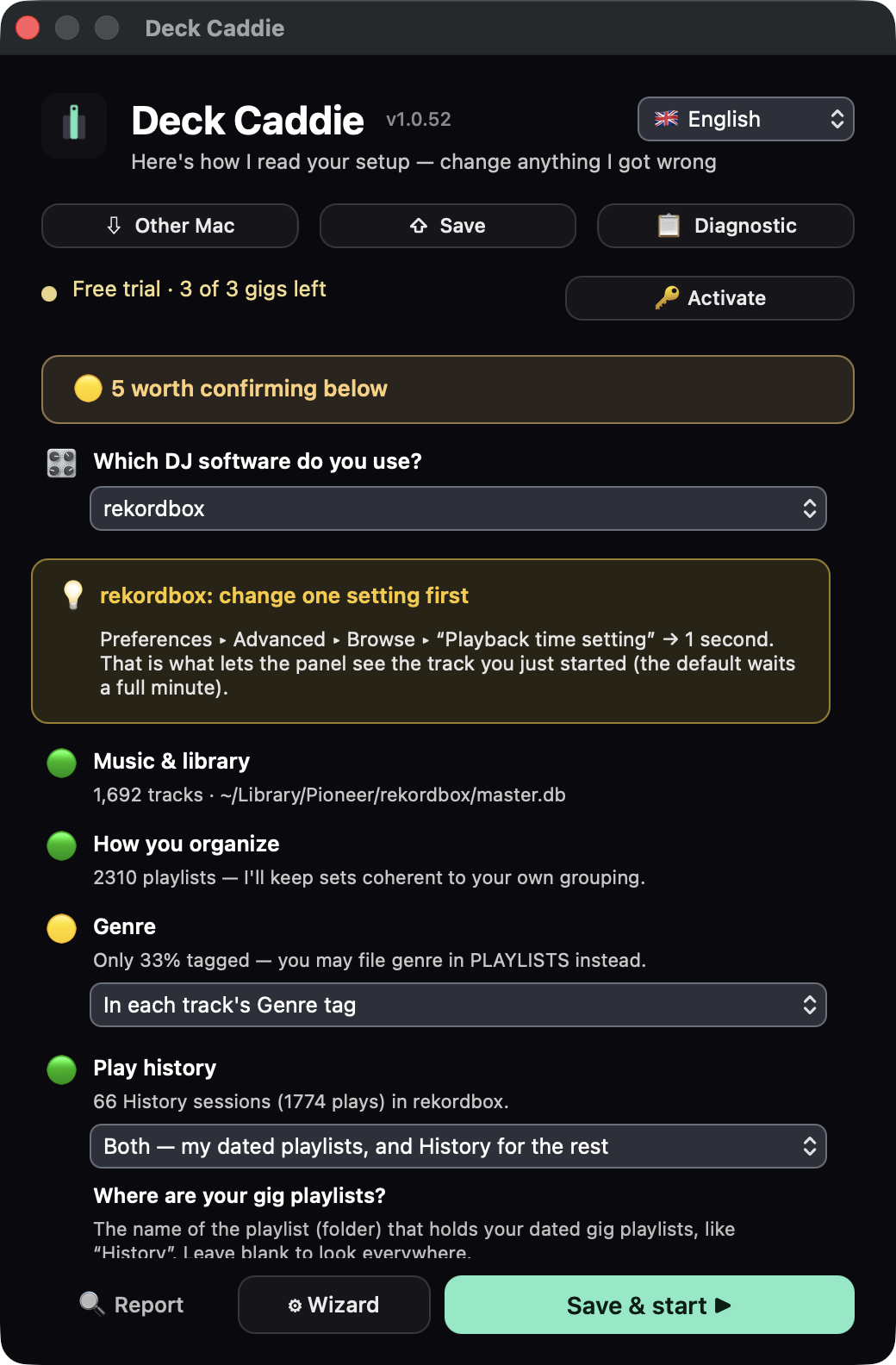
- The one-screen settings and setup (Serato)
- The one-screen settings and setup (rekordbox)
- Short demo video (MP4)



Contact
Interviews, demos, review licences: info@deckcaddie.com. More on the product: how it decides · what a DJ copilot is · Serato copilots compared · changelog.